Light Manager - LED Settings download for android 11 (Red Velvet Cake)
APK file Light Manager 12.4.6 compatible with Android 11How to install APK / APKS / OBB file on Android
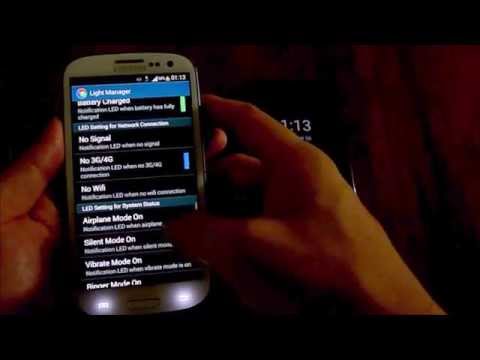

Configure LED color and its flashing frequency for notification as shown below:
- Miss call
- SMS
- MMS
- Gmail
- Calendar reminder
- Hangouts
- Email
- Facebook
- Facebook Messenger
- Twitter
- WhatsApp
- BBM
- LINE
- GO SMS Pro
- Handcent SMS
- chomp SMS
- Textra SMS
- Verizon Messages
- Any 3rd party apps
- Low battery
- Battery charging
- Battery charged
- No signal
- Roaming
- No 3G/4G
- No Wifi
- Airplane Mode On
- Silent Mode On
- Vibration Mode On
- Ringer Mode On
- Mobile Data On
- Wifi On
- Wifi Hotspot On
- GPS On
- Bluetooth On
- NFC On
There are three operating modes:
1) Normal Mode - Only LED color for the first notification will be flashing
2) Alternating Mode - A few LED colors will be flashing alternately when multiple notifications are received
3) Screen Mode - Notifications alert will be shown on screen (For those devices without a physical notification LED, only available for Android 4.3 and above)
You may go to the test section to test whether this app works for your device.
For supported devices list and FAQ, you may go to the link below:
https://docs.google.com/document/d/1t26evGufoC4Fha1Vjyho1cgBKHY6MLJGBPHcsGKZVLc/edit
- Fix error 505 while installing app
- Added missing translation French, Ukrainian, Swedish, Arabic, Czech, Persian
- LicenseFree
- File nameLight Manager
- File Version12.4.6
- Package namecom.koo.lightmanager
- Size5.73 MB
- UploadedOctober 29, 2018
- Android4.3 or later
- CategoryProductivity
- DeveloperMC Koo
- Developer site
- Developer emailkoomingchin@gmail.com
- md5 hashe0b8ab5dbcf3261e1dc7f4f727085071
- Architecture-
- Permissionsshow (19)